Superservice lookup through Service Record Inquiry
The second method of accessing Lookup is via the Superservice button located in Service Record Inquiry, as indicated in the image below:
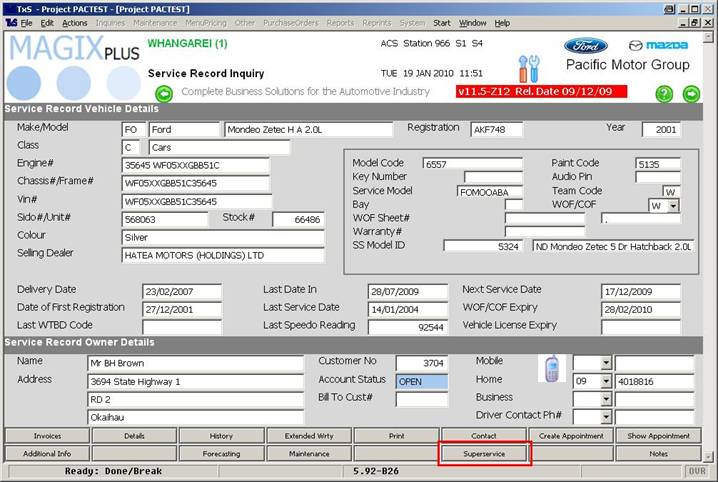
Once you have entered Superservice Lookup you are greeted with the following screen:
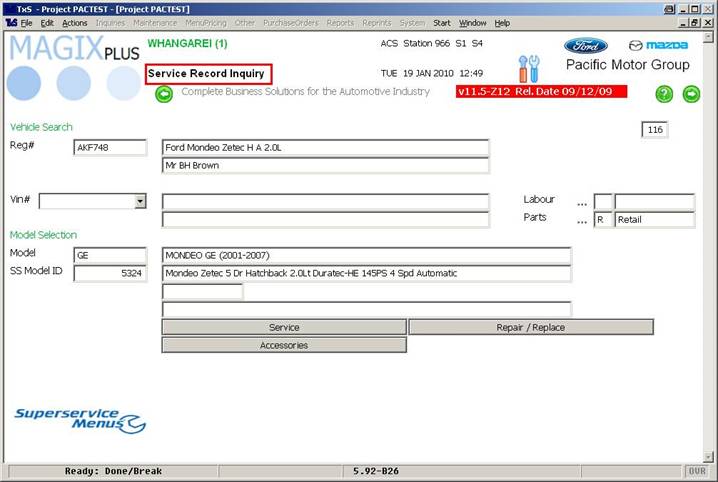
Note the name of the page being ‘Service Record Inquiry’; this designates where you came from to create the appointment.
Magix now knows the vehicle you are looking up.