Load Mitsubishi Price File
NOTE: The Mitsubishi price file is very large and *will* run for a considerable amount of time
Follow these instructions to update your MITSUBISHI only price file:
Connect to by clicking this link: http://mitsubishi.magix.co.nz or by simply typing the address into Internet Explorer
• Click the file named ‘Mitsubishi.exe’ as below
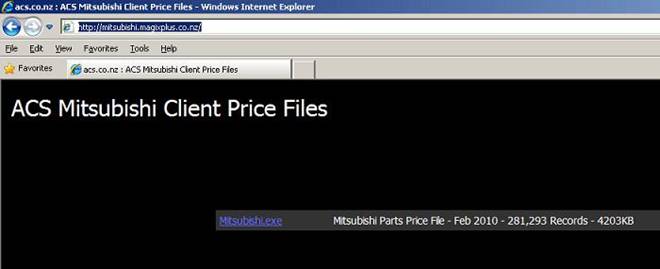
• When prompted, enter your credentials as indicated in the box as below
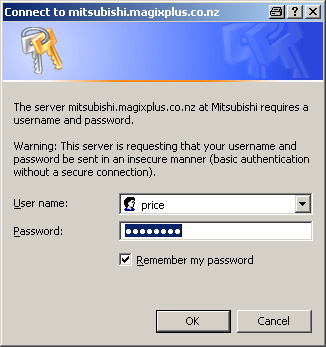
NOTE: These credentials are specific to your franchise and
supplied to you via email
• Next click on the ‘Run’ button as below to download and automatically start the extraction process
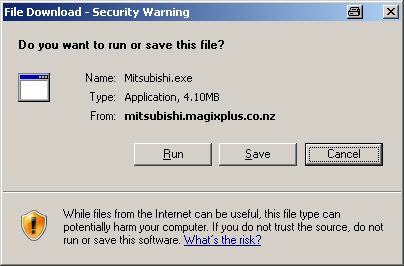
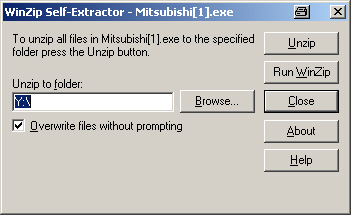
• Next, click on the ‘Unzip’ button, this will place the price file into the correct location for Magix to find it as below
• Next, open Magix and navigate to: Parts Inventory -> Stock -> Price file load -> Mitsubishi
Again, NOTE: The Mitsubishi price file is very large and *will* run for a considerable amount of time
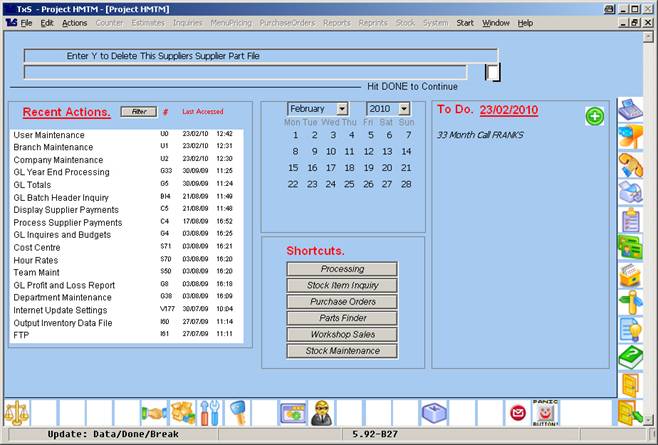
• *Important* on the following screen DO NOT ENTER ‘Y’ IN THE BOX; simply hit the DONE key to proceed (big + key on the numeric keypad), as below
• The program will then add the new entries into your Magix tables as below
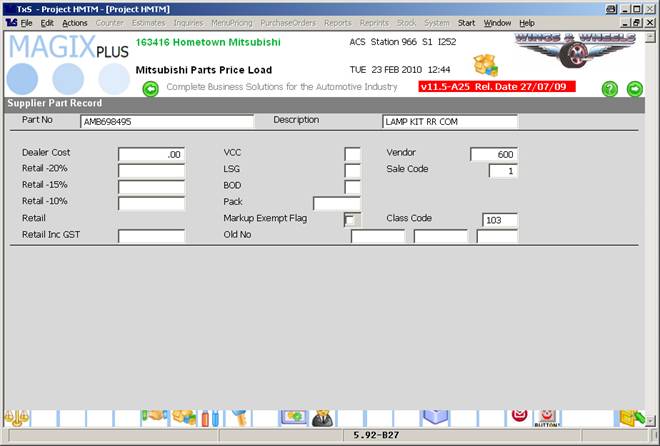
Magix will run the importation
process for a long while. When it is finished you will be deposited back to the
Parts Inventory screen